
New Generation Systems' MicroShell
Mixing REAL Time With REAL UNIX Is Not Magic...It Is Technology.
The Company
I couldn’t find any information about New Generation Systems, Inc., using my usual sources. There were several companies with the same name, but they were incorporated after MicroShell was released.
According to a review of MicroShell in the April 1983 issue of Lifelines, Rick Rump was both the creator of MicroShell and the president of New Generation Systems.
The Product
Let’s start with an overview of MicroShell from the version 2.0 manual:
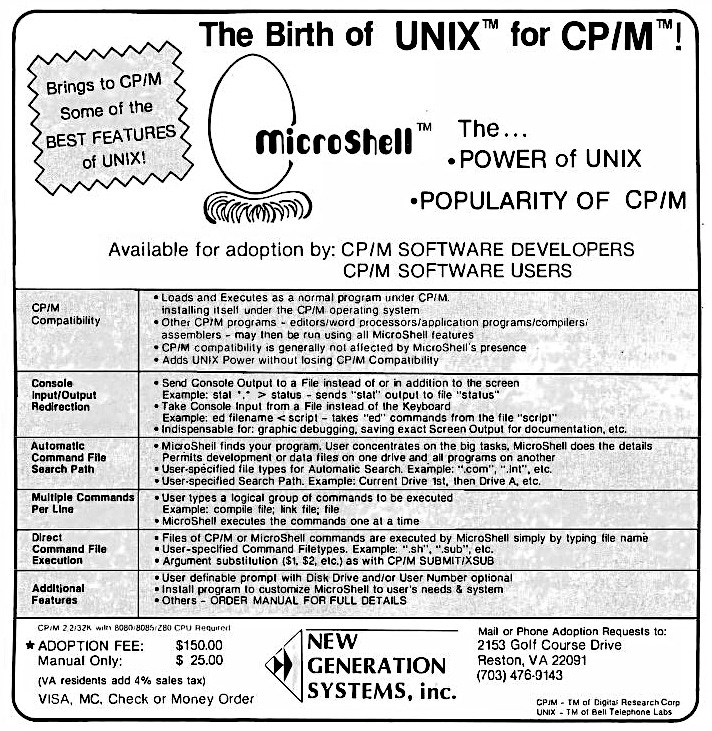
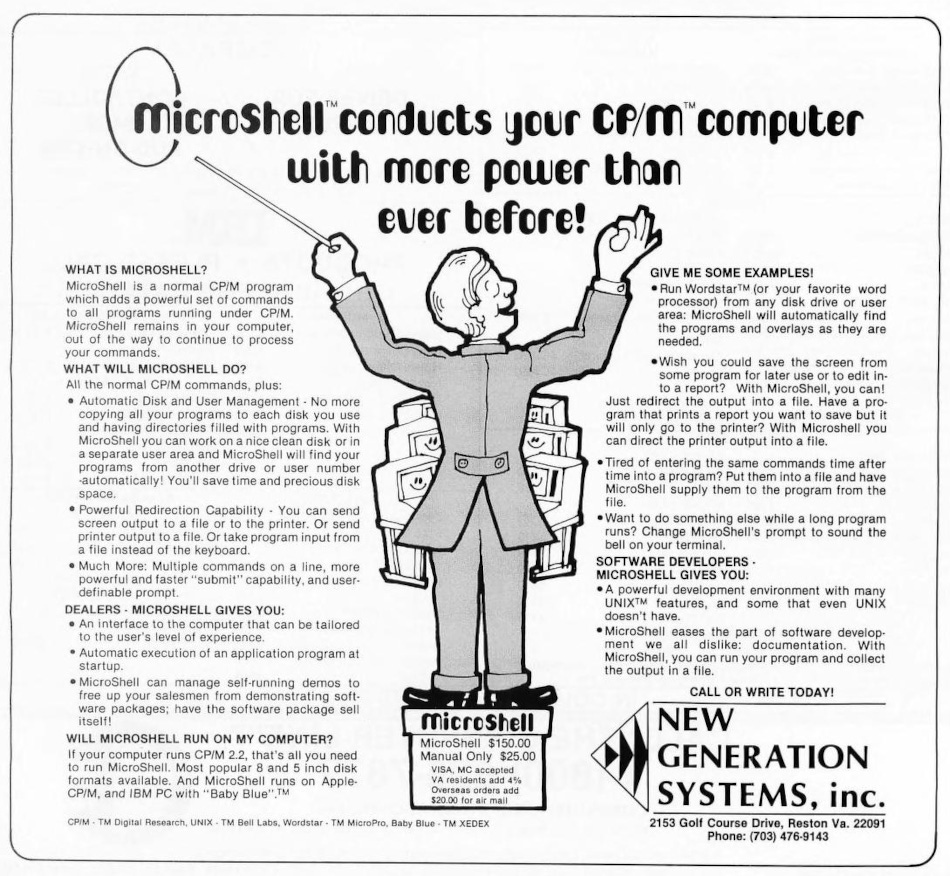
MicroShell is a CP/M program which adds powerful, user-friendly capabilities to the CP/M operating system similar to many of the functions available in the UNIX operating system. Compatibility with existing CP/M software is retained while adding the UNIX features to the operation of existing CP/M software. New software applications and tools can be designed and implemented with much less effort using the features available in MicroShell. MicroShell can be tailored to a user’s system and experience level, providing additional information and help for a new user or crisp, elegant power for an experienced user.
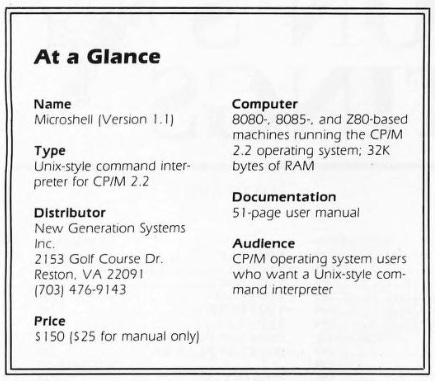
MicroShell requires CP/M 2.2, at least 32 K of memory and at least one disk drive.
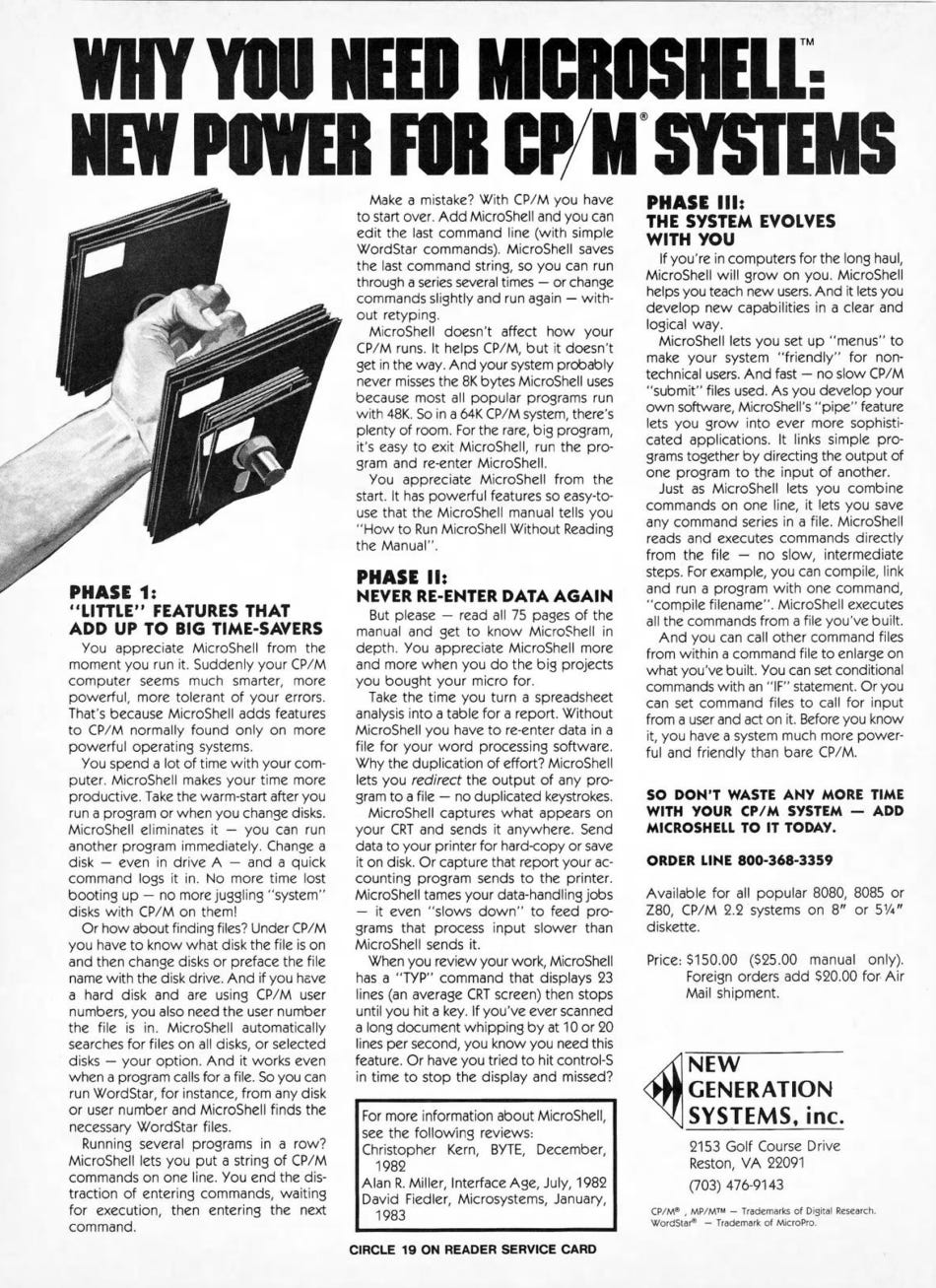
MicroShell requires 8K of system memory when loaded, residing directly below CP/M. A 64K CP/M computer will thus appear to be a 56K system to a program running under MicroShell. As most commercial software has been written to run under MP/M, where only 48K is normally available to user programs, this memory requirement does not normally restrict the operation of a program.
The minimum disk space required by the MicroShell program and its overlay is 20K, although once loaded, neither MicroShell nor its overlay are necessary for most of MicroShell’s functions.
Here is a summary of the creation of MicroShell from the Lifeline review:
Rick Rump, creator of MicroShell and president of New Generation Systems, was introduced to Unix in 1980 on a PDP-11. Like all of us small system programmers, he was less than enthusiastic about having to learn to live with a very large operating system. Finding that Unix was not only very powerful, but to the surprise of all, easy to learn, and gaining more experience on a DEC VAX, Rick became convinced that what CP/M needed was a "shell". By 1981 he made his dream a reality. Rick created a Unix-like shell to replace CP/M's CCP, the console command processor. Originally written in BDS C, it was rewritten in assembly to keep it down to a mere 8 K bytes.
The v2.0 manual also included a longer history and design overview:
We began using CP/M in January 1978. It was a vast improvement in microcomputer operating systems; relatively easy to use, efficient in memory and disk usage and a tremendous bargain for its price. We happily used CP/M and its facilities to develop software adapting to its various features and limitations. Then in 1980 a revolutionary event occurred: we were introduced to the UNIX tm operating system developed by Bell Laboratories for the Digital Equipment Corporation PDP-11 minicomputer series. We were elated. Always having been shy about “big” computer operating systems and their complexity, UNIX pleasantly surprised us. It was easy to learn, easy to use and very powerful.
The user-interface to UNIX is its “shell” program, equivalent to CP/M’s Console Command Processor (CCP). The idea for MicroShell really began when we used a DEC VAX minicomputer. Instead of being greeted at the terminal with DEC’s operating system, VMS, we saw what looked like UNIX’s “shell”! The Software Tools, which began in a book by the same name by Kernighan and Plauger and were later expanded by Lawrence Berkeley Laboratory at the University of California, had been installed “on top of” DEC’s operating system. The Software Tools include a UNIX-like “shell” and give the appearance of running UNIX without losing compatibility with the native operating system or requiring the development of a whole new operating system for the VAX.
The idea was born! Why not develop a “shell” to lie “on top of” CP/M?! And in the spring of 1981, MicroShell was thus conceived.
It was decided to implement the best functional features of the UNIX “shell” in MicroShell. The initial language chosen for development of MicroShell was “C” - the language developed by Bell Labs for writing the UNIX operating system. The Software Tools had been developed in RATFOR, a structured preprocessor for FORTRAN, which resulted in good transportability of the Software Tools from one operating system and computer to another. It was decided that the code generated by RATFOR was too large for the limited CP/M environment. In addition, transportability was a secondary goal. So BDS C was chosen as MicroShell’s language.
By June 1981, MicroShell in “C” was up and running and in daily use with CP/M. At 12K, MicroShell still was larger than desired. So a rewrite of portions of MicroShell into assembly language was begun. The current version of MicroShell is written entirely in assembly language and requires about 8K bytes. Overlays are used for functions which are not time-sensitive. This has allowed expanded error messages, extended shell functions and command line editing to be included without impacting on the resident memory requirements of MicroShell. The BDS C package is still used for management of the 90+ individual modules, linking and overlay management. This package (BDS C) represents an excellent assembly-language development environment.
MicroShell is executed from CP/M by typing “sh”. CP/M loads in MicroShell which then relocates itself below CP/M (just below the Basic Disk Operating System - BDOS). MicroShell replaces the CP/M Console Command Processor (CCP) and performs all of the functions of the CP/M CCP plus additional UNIX-shell-like functions. It remains resident during execution of programs until it is deliberately exited by the user. In this respect it is similar to Wordstar and other programs which themselves perform CCP functions while remaining resident.
Alan R. Miller wrote a review of MicroShell for the July 1982 issue of Interface Age:
The operating system of a computer is responsible for execution of user programs, hardware operation, organization of files and task scheduling. For several years, CP/M (Digital Research, Pacific Grove, CA) has been the most commonly-used operating system for 8080, 8085 and Z80 computers.
UNIX is an operating system with many desirable features. It was developed at Bell Laboratories for minicomputers. UNIX-like systems are beginning to appear on the 16-bit machines, but UNIX is not available for 8-bit machines. In response to this void, several packages have been developed that bring valuable UNIX features to the CP/M operating system.
Microshell (New Generation Systems, Reston, VA) is a program that runs in conjunction with CP/M. It adds many UNIX-like features while retaining all of the regular CP/M capabilities.
…
Microshell incorporates all of the six CCP built-in commands. For example, the current disk directory can be viewed by typing: DIR. Most executable COM files can also be run. For example the command: STAT*.* will display the directory in detail.
The powerful file-searching feature of Microshell can be observed by moving the drive B and executing a program located on drive A. Give the command B: to change the default drive. Suppose that STAT is located only on drive A, but the default drive is B. With CP/M, you would have to give the command: A:STAT*.* to execute STAT since it is not present on the logged-in disk. However, with Microshell, the simpler command: STAT *.* can be given.
…
When a program is executed under Microshell, the user’s directory on the logged-in disk is searched for the requested file. This action is the same as it is for CP/M. However, if the file cannot be found, Microshell will try to locate the file under user 0 on the logged-in drive. If that is also unsuccessful, Microshell will then look on drive A under user 0.
…
Another powerful feature of Microshell is multiple commands. Several consecutive commands can be given on the same line if they are separated by a semicolon. For example, the expression: ERA * .BAK; STAT *.* will erase all backup files, then display the remaining files in alphabetical order.
…
All lower case characters typed at the CP/M command level are automatically converted to upper case. However, additional input (after a program has begun) is not automatically converted. Filenames are normally stored on disk in upper case letters. Consequently, if an executable program needs a filename, either it must be entered in upper case, or the program must make the conversion. Some programs can do this and some cannot.
…
Some programs will operate normally under Microshell, but cannot take advantage of the new features. Microsoft Basic version 5 is one of these. For example, the command:
MBASIC > + FILE
cannot be used to send console output from Basic to a disk file. Microshell incorporates its own version of SUBMIT with more features than the original. Microshell is another example of the high quality of programs currently available for CP/M.
Christopher Kern wrote another review of MicroShell, this time for the December 1982 issue of Byte.
Microshell is a replacement for the CP/M command interpreter that provides I/O redirection, pipes, and a number of other useful features. The Unix command interpreter is known as the “shell,” hence Microshell’s name. In addition to the simple redirection commands, “<” for input and “>” for output, Microshell lets you echo output that is being directed to a file on the console (”> +”) and to append directed output to an existing file (”>>”).
As I mentioned earlier, Microshell provides pipeline capability by using temporary files. As an experiment, I created a pipeline to list the individual words in a text file in alphabetical order, using utility programs that (1) placed each word in the file on a separate line, (2) sorted the lines alphabetically, and (3) filtered out multiple occurrences of the same word. This pipeline didn’t break any speed records, but it worked. And if you have an occasional need for a sorted list of the words in a file, connecting existing utilities in a pipeline is certainly an easier way to get it than writing a new program. Programs that read their input, alter it in some way, and then send it to their output are known as filters, which fits in with the plumbing analogy of the pipeline. (Incidentally, the source code for the programs I used to construct this word-list pipeline comes from an excellent book, Software Tools, by Brian W. Kernighan and P. J. Plauger [Addison-Wesley, 1976]. The programs in the book were written in RATFOR, a FORTRAN preprocessor based on the C language. The book is a good source for explanations of concepts, such as filters, which came from Unix. It is also available in a Pascal version, Software Tools in Pascal [Addison-Wesley, 1981].)
…
It is often useful to execute a batch of commands, one after another, without sitting at the computer console and entering each command individually. CP/M provides such a batch capability with its SUBMIT program. Improved batch processors have been developed by various CP/M users (e.g., Ron Fowler’s SUPERSUB in the January 1982 issue of Lifelines magazine). But none equals the simplicity of Microshell’s shell files. The Microshell command interpreter itself — rather than a separate program — reads a script of commands from a text file and performs them in sequence. Automatic argument substitution is provided, control characters can be included in a shell file, and a shell file can provide input to a program that would normally come from the console (this is similar to CP/M’s XSUB program). Shell files can also be interrupted easily, cutting short a long batch sequence.
Shell files under Microshell are not as flexible as they are under Unix, however. Unix allows shell files to be nested (a command in a shell file can be another shell file). It also provides control structures that can be used to vary the command sequence. But Microshell’s shell files are a big improvement over CP/M’s SUBMIT. For shorter batch jobs, Microshell provides a nice alternative: multiple commands on a single line, each separated by a semicolon. This is a faster way to execute a simple series of programs than by using a shell file.
…
In some respects, Microshell slows down CP/M’s performance. Checking for shell files (batch commands) and automatic command and file searching all require extra disk accesses. It is possible to restrict automatic command searching and to turn off automatic file searching altogether, which will minimize the delay. Restricting automatic command searches to a single disk (i.e., having a “system” disk that contains all executable programs), which most users will probably want to do anyway, will set a maximum of one extra disk access each time a program is invoked.
In one very important respect, however, Microshell speeds up overall system operation; it eliminates the warm boot — the resetting of the system — that occurs after most CP/M programs. (It provides an explicit log-in command for use when changing disks.) On balance, on my system, Microshell makes things happen somewhat faster than they do when the CCP is in place.
Another review appeared in the January 1983 issue of Microsystems and was written by David Fiedler.
While CP/M 2.2 is generally acknowledged to be the most widely used operating system around, most serious computer users have complaints about it. These usually range from the whining “It’s not UNIX” to the more reasonable “Why don’t the standard utilities have a little more intelligence?” Actually, CP/M isn’t that bad for a system that wasn’t intended to be much more than a program load-and-go facility. A few brave souls have ventured to bring some of the flavor of their favorite operating system (UNIX) to the CP/M world.
MicroShell is a product of New Generation Systems, Inc., 2153 Golf Course Drive, Reston, VA. 22091, (703) 476-9143, and costs $150. A brief overview of this package should prove useful. MicroShell is a single program that actually replaces the CCP (Console Command Processor, or user interface portion) of CP/M to provide I/O redirection, pipes, and a variety of automatic file search conventions that can be used with any program that runs under CP/M. It runs on any CP/M 2.2 system with at least 32K of memory. MicroShell also implements pipes with temporary files, allows redirection of console output to either a disk file or the printer, and provides for “appending” output in chunks.
…
MicroShell generally works with all CP/M programs, including those that “fool around” with address jumps in low memory, except if they expect the regular CCP to be there. The only two known incompatible programs are SUBMIT.COM (which MicroShell replaces anyway) and MOVCPM.COM, which is used for modifying your system size and not run very often anyway. I have a relatively small memory size and run some big programs, and find that MicroShell (which takes up 9.25K) sometimes gets in the way. This can be worked around by a special shell file that removes MicroShell and automatically reloads it after running my big program.
…
The MicroShell package delivers, as advertised, some UNIX-like features to CP/M 2.2 systems. It is invaluable for and recommended to serious software developers. If I had to make a choice between MicroShell and Unica, I would get Unica only if I had a hard disk (due to its user area support and the large size of the individual programs) and MicroShell only if I had floppies (due to the ease and speed of performing its functions).
Of course, MicroShell is extremely useful with a hard disk also, especially due to its file/command search capabilities. MicroShell in particular might be good for use in turnkey operations, where it is not necessary that a customer know the difference between a shell and an executable program.
Other programs and patches are available which accomplish some of the functions of this package, but this is the cleanest, best integrated, and most usable implementation I have seen yet.
Our final review was written by Walter G. Jung and entitled “New Generation Brings the Charm of Unix to CP/M”. It appeared in the January/February 1985 issue of Sextant.
MicroShell is a completely new “front end” or “shell” for CP/M 2.2 on the H8 and H/Z89 and CP/M-85 2.2 on the ‘110 and 120. In effect, MicroShell replaces the console command processor (CCP), adding many Unix-style operating enhancements while doing so.
The CCP is that portion of CP/M most apparent to you as a user. It provides the interface between your keyboard commands and the system itself. In its most raw and un-adorned form (what you in fact get with Heath/ Zenith’s CP/M-80, or CP/M-85), CP/M’s CCP is not a very friendly system. In fact, it can be a source of irritation to some users completely new to its use. The CCP is responsible, for instance, for such nuisances as having the TYPE command scroll a text file off the screen before you can read it.
Importantly, MicroShell increases CP/M’s ease of use, and user friendliness. It requires virtually “zero installation” before it’s ready to run. And it is usable not only on the Heath/Zenith CP/M implementations (on the H8, the H/Z89 and ’90, and the H/Z100), but on just about all CP/M-80 systems.
MicroShell improves CP/M in the friendliness department by providing a number of features. First, it retains all of the standard and familiar CP/M-80 CCP commands we all know and love. They operate essentially just as before (DIRectory, ERAse, TYPE to screen, SAVE memory sectors to disk, REName, and USER n).
…
MicroShell’s prompt is distinguished from the standard CP/M prompt (a>). The default MicroShell prompt is “a(0)”. The letter A represents the drive you are logged in on; and the number 0 corresponds to the USER area you are logged in on. (Score one in the friendliness department. Ordinary CP/M doesn’t prompt with the USER number when you are running from one of the USER areas. It leaves you in the dark, with a single prompt whether you are in USER 0 or USER I0!)
…
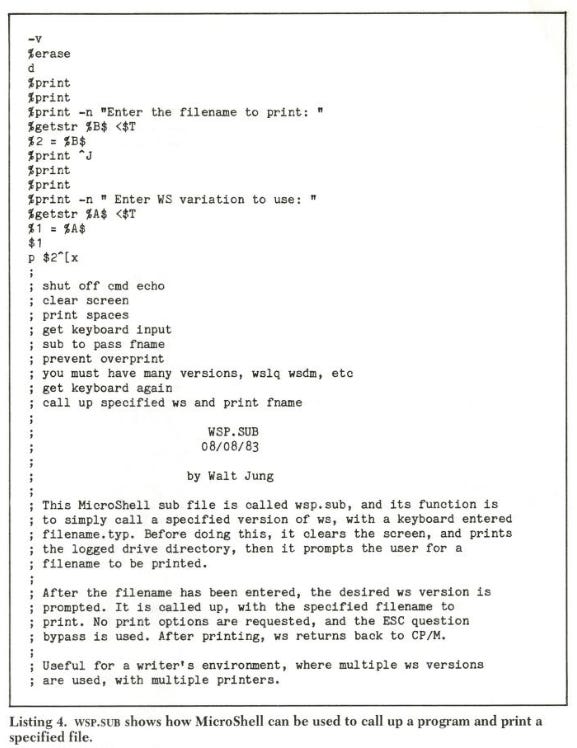
All the things described thus far about MicroShell are certainly useful in themselves. But to my mind, the real power of the program lies in the shell files (.SUB files). Why? Simply because of their programming usefulness, which brings everything all together, adding synergism to boot
As mentioned, shell files allow built-in SUBMlT-type processing, as well as the XSUB function. Shell files support the use of single or combined .COM files and intrinsic commands, as well as the extended shell commands. Used creatively, customized shell files allow some very useful functions to be implemented, for both the programming and the office environment. And they execute faster than do conventional SUBMIT files, since they are read into memory only once, initially.
Shell programming under MicroShell is supported by a number of flags, which act as toggles for certain functions or individual commands. For example, “-1” relogs disk(s); under Heath CP/M, it even allows you to change to disks of different density. Other examples are “—x”, the exit to CP/M; “—v” (or “+v”) turn off (or on) command echo; and “-s”, shell-status report. Use of the -s command will yield a status report of the current shell conditions, as in Listing 2. (This example is for the default SH.COM, before any customization.)
Here are some resources to check out:
Review from the December 1982 issue of two/sixteen
A detailed review with examples from the April 1983 issue of Lifelines
Review from the March/April 1984 issue of The Boston Kugel
Review from the May 1986 issue of Profiles
Did you ever use VenturCom's VENIX? Do you know anything about its history? Let us know in the comments below.

What computer ads would you like to see in the future? Please comment below. If you enjoyed it, please share it with your friends and relatives. Thank you.
